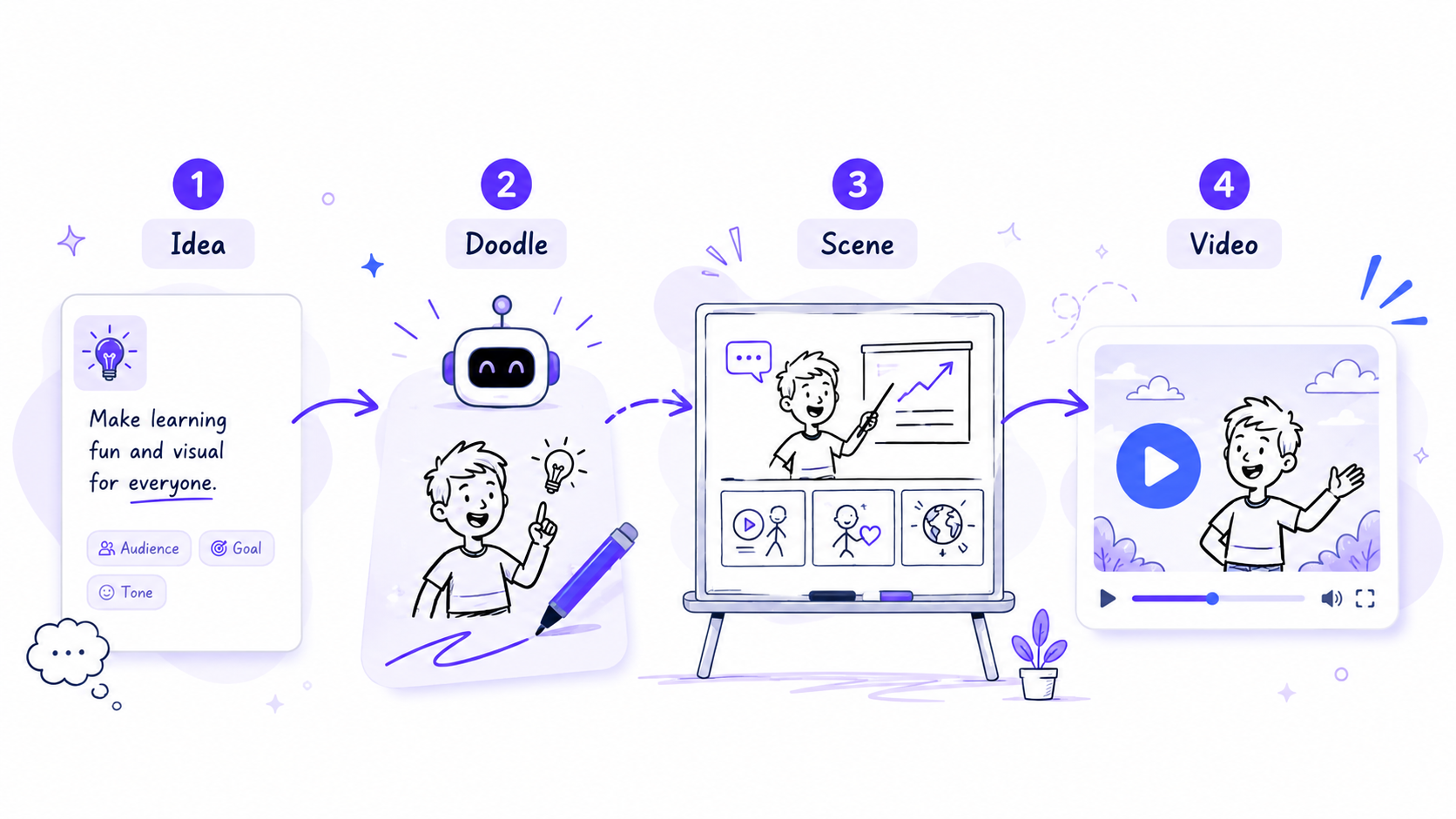
Start with an idea
Enter a prompt, choose a template, or start building your scene manually.
InstaDoodle is a browser-based AI tool designed to turn ideas, prompts, images, and scripts into animated doodle-style explainer videos.
Current base offer shown by InstaDoodle: $37 one-time.
“Explain how an idea becomes a video.”
Think of it as a simplified animation studio focused specifically on whiteboard and doodle-style videos.
Instead of drawing every scene manually, InstaDoodle combines a drag-and-drop editor with AI-assisted doodle generation.
You can create illustrations, arrange them into scenes, add transitions, upload narration or music, and render the finished project in the cloud.
It is primarily an AI-assisted whiteboard and explainer video tool — not a general-purpose cinematic AI video generator.
Enter a prompt, choose a template, or start building your scene manually.
Use the built-in library, generate AI doodles, or convert your own images into sketch-style elements.
Arrange scenes, animations, backgrounds, transitions, voiceovers, and music.
InstaDoodle handles rendering in the cloud and supports multiple video aspect ratios.
See the type of workflow, editor, and output InstaDoodle is designed to provide.
This video is provided by the InstaDoodle affiliate program and demonstrates the vendor's own software, workflow, and example output. This website is an independent affiliate review and is not operated by InstaDoodle.
These are some of the main capabilities advertised on the current InstaDoodle offer.
Generate doodle-style visual elements from text prompts instead of searching manually for every illustration.
AI FEATUREBuild scenes using a library of characters, objects, and illustrations.
Start from pre-built layouts rather than creating every project from a completely blank canvas.
Upload images and convert them into doodle-style graphics for use inside your project.
Create layouts suited to YouTube, vertical video, and square social-media formats.
Rendering is handled online, reducing the need for powerful local hardware.
Add narration and background music to turn visual scenes into complete explainer videos.
The current base offer advertises Full HD video export support.
InstaDoodle makes the most sense when your content benefits from explaining an idea visually rather than simply showing normal footage.
View the current InstaDoodle offer →Explainers, educational Shorts, faceless content, and storytelling.
Product explanations, presentations, promotional videos, and visual sales content.
Visual lessons that break complicated subjects into step-by-step explanations.
Training, onboarding, service explanations, and social-media content.

No software is perfect. Here's what stands out — and what you should understand before buying.
Based on the current ClickBank sales page at the time this page was updated.
InstaDoodle
The standard lifetime-access offer currently displayed on the InstaDoodle sales page.
Affiliate link. Pricing and availability can change. Verify the current offer on InstaDoodle's website before purchasing.
InstaDoodle currently also displays a $67 one-time version with color-element generation.
Additional products or upgrades may be presented after the initial purchase. The $37 version does not necessarily include every feature in the full funnel.
The current InstaDoodle sales page advertises a 60-day money-back guarantee. Final refund terms are determined by the seller and ClickBank.
Pricing and features last reviewed: August 29, 2026.
If your goal is specifically to create whiteboard-style explainers without learning traditional animation software, InstaDoodle offers a straightforward set of tools at a relatively low entry price.
It makes less sense if you mainly want photorealistic AI video, cinematic scenes, or a completely unlimited AI-generation platform.
The current special ClickBank sales page advertises the base InstaDoodle package for $37 as a one-time payment. Pricing can change, so always confirm the current offer on the seller's page.
No. The current base package includes 150 AI credits. The broader video/project functionality may be advertised as unlimited, but AI generation uses credits.
InstaDoodle advertises multiple aspect ratios, including horizontal, vertical, and square layouts, making it suitable for several social-media formats.
The product is designed around templates, drag-and-drop editing, and AI-assisted creation, so traditional animation experience should not be required to get started.
No. The seller offers optional upgrades and other versions of the product. The $37 offer should be evaluated based on the features specifically listed for that package.
No. This is an independent informational and affiliate page. InstaDoodle is owned and operated by its respective vendor. Links on this page may earn this site a commission.
Visit the official offer to view the latest pricing, features, examples, and purchase terms.
View InstaDoodle's Current Offer → Affiliate link • No additional cost to you